20 FREE AI Agents to Audit Your App
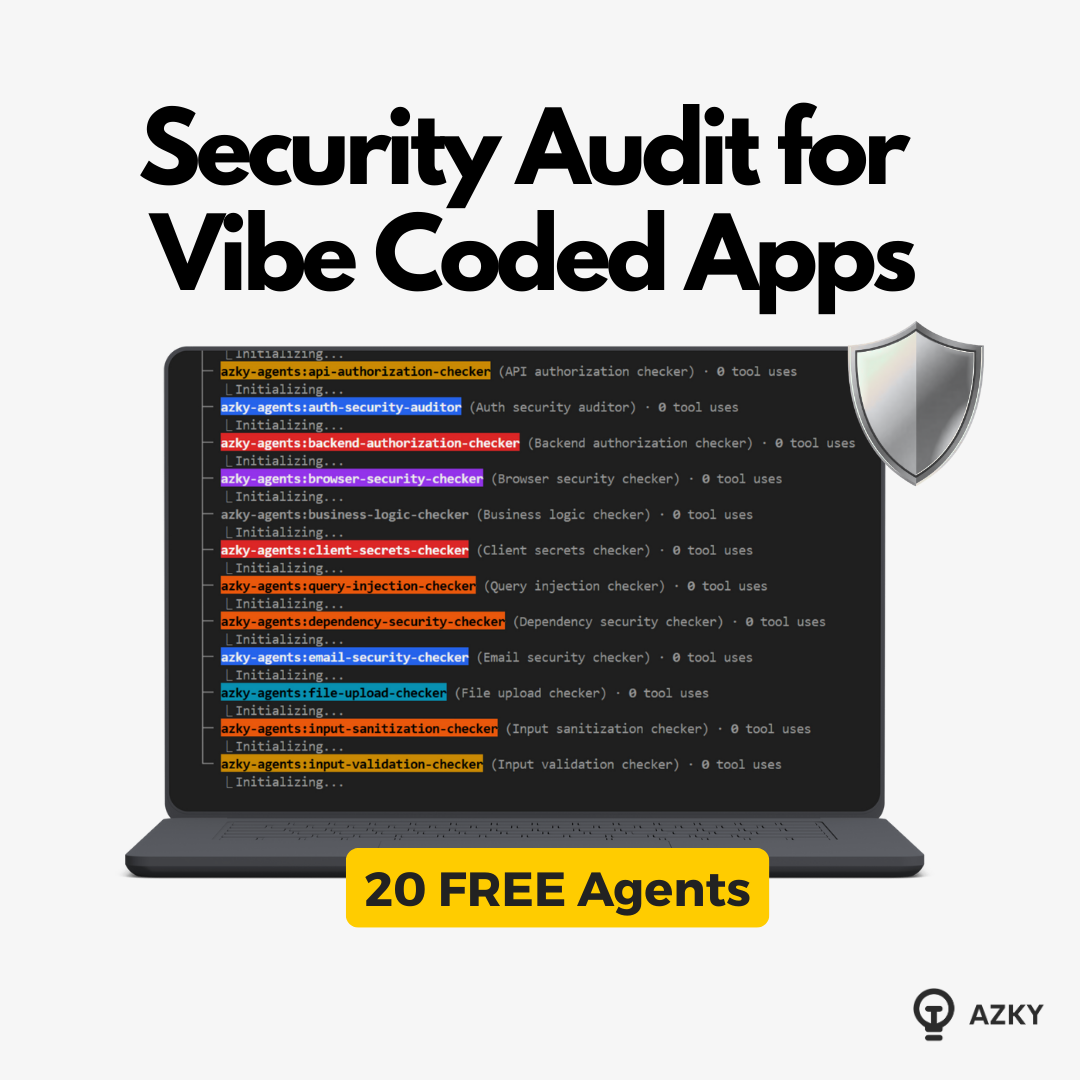
Security Vulnerabilities: 20 FREE AI Agents to Audit Your App
If you are "vibe coding" production apps—blindly trusting AI prompts without security audits—you are shipping vulnerabilities faster than you can find them.
OpenAI recently announced "Aardvark," an agentic security researcher that scans codebases to discover vulnerabilities. It sounds amazing, but there's a catch: it's in private beta.
I didn't want to wait.
I’m sharing my open-source alternative: 20 specialized Security Agents that work with Claude Code right now. They audit everything from authentication hijacking to database injection attacks.
We use this exact system at our agency to catch issues that human code reviews miss. Here is how it works, and how you can use it for free.
Watch the video walkthrough here:
<iframe width="560" height="315" src="https://www.youtube.com/embed/n8IsaWYttp0" title="Security Audits Cost $20k - I built AI Agents That Do It Free (Open Source)" frameborder="0" allowfullscreen></iframe>Defense in Depth Approach
Most developers try to solve security with one massive prompt: "Check this code for errors." This rarely works well because the context is too broad.
Instead, I took an enterprise-level security audit framework and split it into 20 specialized sub-agents. Each agent has one job. They run in parallel, generate individual reports, and then a "Meta Analyzer" aggregates the findings.
Here are the key attack vectors these agents cover:
1. Authentication & Authorization
- Auth Hijacking: Checks if your login/signup flows and session cookies are implemented using best practices (e.g., Supabase Auth or Clerk).
- Backend API Access: Ensures only authenticated users can hit specific endpoints (e.g., Notesing or process_payment).
- Business Logic Authorization: This is critical. It asks: Is the person trying to edit the listing actually the owner of the listing?
2. Database Security
- RLS Coverage: Checks Row Level Security. Can user A see user B’s orders?
- Query Injection: Scans for raw SQL queries that might be susceptible to injection attacks (e.g., DROP TABLE).
- Supabase Advisories: Connects to the database to check against known platform-specific warnings.
3. Input & Infrastructure
- Input Validation: If a user puts JavaScript into a listing description, does the backend sanitize it?
- URL Validation: Prevents malicious redirects.
- Secret Leaks: Scans client-side code to ensure API keys or secrets aren't exposed.
- Dependency Checker: flags Node.js packages with known vulnerabilities.
Running the Audit
This isn't theory. We run this workflow before shipping features on real SaaS apps with live users. Here is the step-by-step process we use.
Step 1: The Setup
First, we copy the 20 agent files into the .claude/agents folder.
Note: You must exit and restart your Claude thread after copying files so the context updates.
We also ensure our MCP (Model Context Protocol) is connected to the database (in our case, Supabase). This allows the agents to fetch the latest schema and documentation rather than guessing based on old migration files.
Step 2: The "Business Rules" Document
This is the most critical step that most people skip.
One specific agent is the Authorization Rules Writer. We run this first. It scans the codebase to understand what the app does and generates a plain-English document of business rules.
Example rule generated by AI:
"Users who are not logged in can view public listings but cannot create content."
Reality Check: You must review this document manually. If the AI hallucinates a rule (e.g., "Everyone can delete everything"), the subsequent security agents will grade your code against that wrong rule.
Step 3: Parallel Execution
Once the rules are set, we issue the command:
"Please run all AI security agents in parallel."
This hammers the API rate limits, but it’s fast. In about 5-10 minutes, Claude spins up all 20 agents. They load the codebase, check their specific vector, and generate individual reports.
Step 4: The Meta Analysis
Reading 20 separate technical reports is tedious. That’s why we have the Security Meta Analyzer.
This agent reads all the sub-reports and aggregates them into one final summary, categorized by severity (Critical, High, Medium, Low).
Case Study: What We Found in a "Link in Bio" Clone
I ran this suite on a SaaS clone we built for my Skool community. Here is what it found:
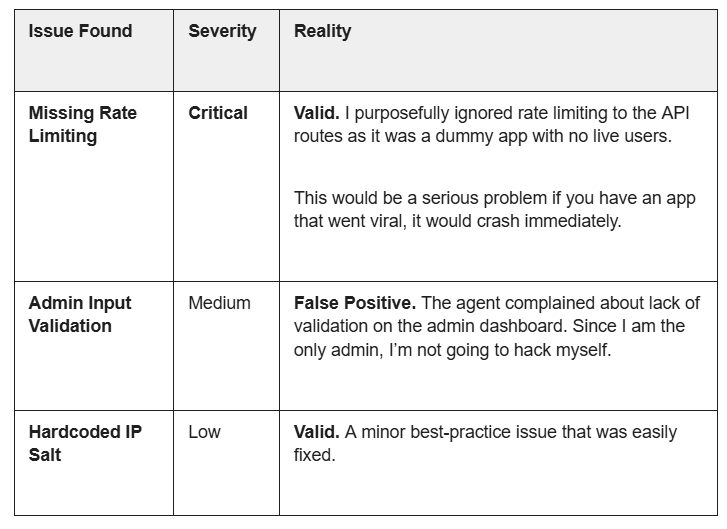
The Takeaway: The agents aren't perfect. They produce false positives. However, they do catch vulnerabilities that could easily end up in production.
Conclusion: Don't Ship Vulnerabilities
Humans tend to overlook things. Agents don’t. This workflow may not replace a professional grade security audit, but I would go so far to say that this audit can catch most if not all security flaws in your AI coded apps.
No more "vibe coding" and hoping for the best.
The Cost:
- Time: ~15 minutes of setup and runtime.
- Money: It burns through tokens quickly (expect to hit rate limits on standard plans), but it's cheaper than a data breach.
The Benefit:
You get a systematic, defense-in-depth review of your entire codebase against 20 known attack vectors.
If you’d like us to audit your app for you then get in touch here or book a call today.
Want to discuss this?
Book a call→